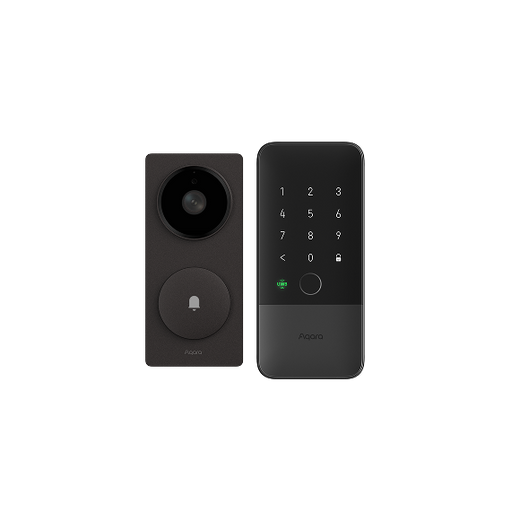
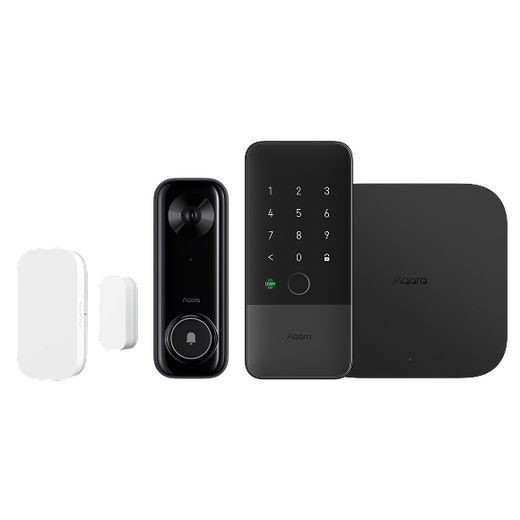
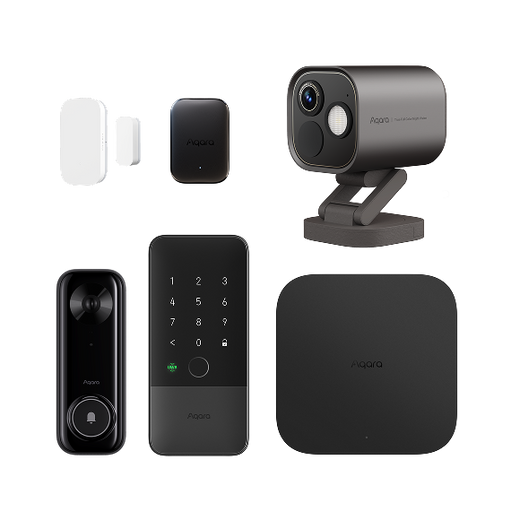
Front Door Security
See who’s there, secure every way in, and let your home respond to every arrival.




Fast Shipping
30-Day Money-Back Guarantee
Hassle-Free Warranty
Lifetime Customer Support
Presence Sensor FP2
$82.99
Earn points with this purchase
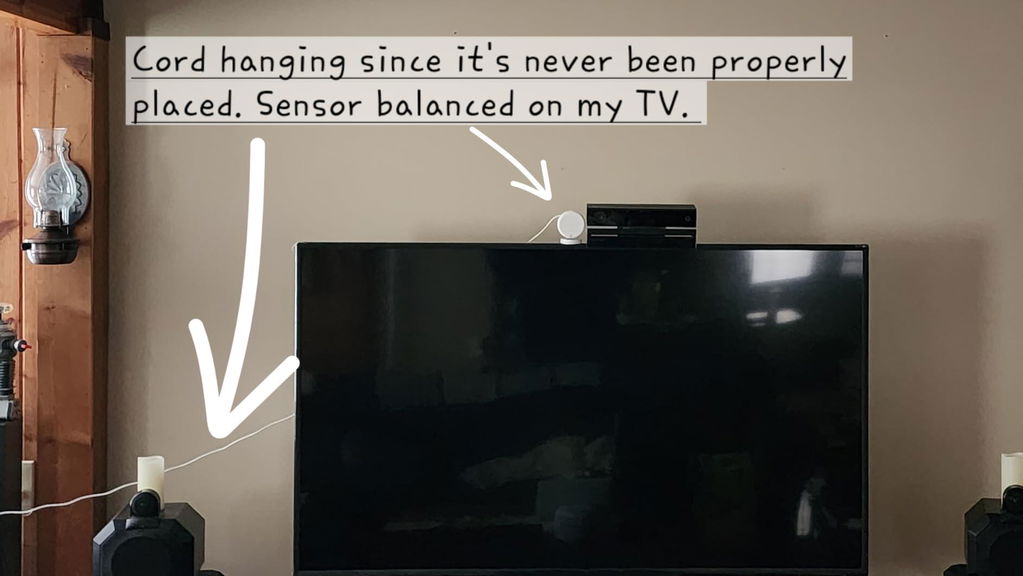
I've watched a lot of YouTube reviews on this sensor. Being on a tight budget made me hold off and try less expensive options. They all failed so I cut back on a few things and ordered this one. MIND BLOWN! This thing is amazing! Most of my house is automated and run by voice via the excessive number of Alexa devices, plugs, and bulbs I have. I was so excited when this arrived that I just plugged it in and balanced it on my TV so I could play around. I haven't even gone through the proper setup for it yet and it's crazy good. I created a few zones and it's truly blown my mind. After dark, when I pass from the livingroom zone to the kitchen zone, a light automatically turns on at a dim level so I don't get blinded in the dark. I return to the livingroom and the light goes off. I'm fortunate to have an open floor plan so the sensor covers a fair amount of my living space. It seems very good at presence detection. When someone else is in the house I pull up the app and you see the other person. I walk away and within a second or two I can see that I've moved away from the other person and we started walking around and the sensor kept updating our location. I can't wait to actually put it in a permanent location and go through the proper setup. I love home automation and will probably make a video about this thing. I haven't tried the ceiling mount for fall detection yet, but I will test that because I've got an elderly father who is a high fall risk and it would bring great piece of mind knowing if he falls, yet again. Especially if he were unable to call for help or he was home alone. If other Aqara devices are as good as this sensor, this will be my new go-to. As finances allow, I'll be adding additional sensors and devices to my nerd ecosystem. I gave it 5 stars for value because you get so much functionality and integrations are simple. Time is money and you could spend far more than the price of this sensor trying, like I did, to find something less expensive only to realize how much money you've spent and how many frustrated hours you've spent trying to get different cheap thing to work or properly integrate.
Best presence sensor I’ve used with zone detection so far!
I've been on a bit of a smart home kick with Home Assistant, and the power you get from Aqara's FP2 for the price and form factor is absurdly good. I feel like their mm-wave radar tech is very accurate, and tracks exceptionally well in the app.About the only problem I'd say is that I've had issues trying to hide the cord, but the trick that has worked the best for me to keep them out of main sight lines has been to install light fixtures with 2 sockets (like a dome ceiling light), replace one of the bulbs with one of those screw-in plugs (like the Leviton Lamp Holder to Outlet Adapter), and run the USB into that.Having every other bulb in the room be a smart bulb, and the switch be a smart switch that always drives power to the smart bulbs, means that the whole room can have a presence-sensing light without wires criss-crossing everywhere!
I’ve got 3 in various large rooms (20’x20’) used initially with Alexa - no real problems since they were released. I recently switched to Home Assistant. Remove from Apple home kit before installing in HA. No real problems so far. Be careful of changing environments like coat on coat racks or stacking tall stuff in its area. It will ghost like mad. I tried to use one in a small bathroom but the shower curtain & variable door position proved too much. I only use them for presence, one zone & they work great. No more lights out when I’m sitting at my work bench for too long.
Setup was intuitive and both the presence and light sensors work with my HomeKit automation. I have it setup in an office to turn in the lights when the room is occupied and the lux (lighting) measurement is below a certain number.
The Aqara Presence Sensor FP2 is an excellent addition to any smart home setup. It works exactly as expected and delivers on its promises. Setting it up is straightforward. Once you download the Aqara app (no Aqara hub required), you can update the firmware quickly.After the firmware update, the sensor works seamlessly with my SmartThings V2 hub. The ability to create zones in the Aqara app and then rename them in SmartThings makes the setup process convenient.What really sets this sensor apart is its precision. Unlike traditional motion detectors where you have to wave your hand every few minutes to keep the lights on, the FP2 can detect your presence accurately, ensuring the lights stay on as long as you're in the room.
I gave it a 1-star review in May 2024 due to how buggy and inaccurate it was but I gave it another shot almost a year later and the software has come a LONG way. With the current firmware it's one of the better presence sensors I've used.
I wouldn’t say this sensor is perfect, but the setup isn’t nearly as complicated as some might suggest. Occasionally, I encounter a false trigger, but as long as you fine-tune your zones and properly set up entrance/exit zones, it does a great job of managing lighting in my spaces. Overall, I’d recommend this sensor to others!
I can understand how some reviewers may not be able to figure out how to set this up properly but it's pretty intuitive and the setup was pretty easy to figure out. I love that I can track multiple zones with this thing which acts like having multiple motion detectors in one. I have one that covers my main living room area, entrance, dining room, and kitchen in an open concept area. My automations include things like watching for people getting off the sofa into the main living room area and illuminating their way as they make their way towards any other area. I have another one of these on my toddler's crib keeping track of her respiratory rate and heart rate as she sleeps. For this, I have automations to send me alerts when my baby wakes up which is insanely useful without having to check on a nanny cam, as well as alerts for high breathing rates which help predict if she's sick, all without her having to wear anything. This is my fav feature as I can leave the app open on a third screen on my macbook and keep track of her and when she's awoken. I've purchased two of these and I'm about to buy a third due to the potential use cases here.
Search all the reviews online and on YouTube; NONE of them are wrong! Excellent addition for smart home and home security enthusiasts alike!
needs lots of patience to set up and try different ways to get thid thing work , once you get it all dialed in, it really nice for automation (automate your life) youtube video (Brian ) reviewer has a very detailed video to help set up this thing up
Most smart tech has some issues with reliability, and this sensor isn’t perfect. But I’ve found it works very well. It could trigger automations faster, but otherwise, it’s probably 98% reliable. I’ll take it. If you need 100% reliability without any troubleshooting, smart tech isn’t for you. Tinkering is required (and part of the experience!).
Buy it you will not regret it! It just works. Tech inside is robust and does what it says it does.
Customer requested this sensor so here we are. Have no comment about how the sensor actually worked out as I can only comment on installation. I don't drill walls so printed an adapter for the sensor. The magnetic mounting works but a little weak in my opinion. He wanted more security so we added a mount that captured the flexible base. Both corner and wall mount.
The AI could use some work as it will randomly get triggered by nothing in my garage despite changing sensitivity settings, detection zone, AI learning, etcWorks well 99% of the time
this thing is inc
Far more than I wanted to spend in order to control the lights in my garage, BUT it works perfectly as the HomeKit compatible sensor that I sought. No more waving my arms to turn the lights back on! Now they turn on when I enter and stay on until I leave, even if I'm still for a few minutes while working on something.
I have two of these set up in my home , working perfectly. A little fiddly to set up but once done right you can enable all kinds of automations in the home
I’ve had the privilege of using the Aqara Presence Sensor FP2, and let me tell you—it’s a game-changer in the smart home world. Here’s why it deserves six stars (yes, I’m bending the rating scale):Precision Personified: This sensor knows when you’re coming and going. It’s like having a psychic guardian for your home. Whether you’re sneaking in late or welcoming guests, it’s on point.Geofencing Magic: Set up geofences, and watch the magic unfold. The moment you step into your driveway, lights turn on, the thermostat adjusts, and your favorite playlist starts playing. It’s like living in a sci-fi movie.Pet Protector: Worried about your fur baby? Attach the sensor to their collar, and receive real-time alerts when they venture too far. No more frantic “Where’s Fluffy?” moments.Battery Stamina: Still going after a few months.Sleek Design: Minimalist, elegant, and unobtrusive. It blends seamlessly into any decor. Your guests won’t even notice it—until the lights magically come alive.Home Automation Symphony: Sync it with your other Aqara devices—the hub, smart plugs, and curtains. Suddenly, your home dances to a synchronized tune. Cue the applause.In summary, the Aqara Presence Sensor FP2 is the unsung hero of smart homes. Six stars? Heck, let’s make it seven! 🌟🌟🌟🌟🌟🌟I might have gotten a little carried away with the star count, but hey, the Aqara Presence Sensor FP2 deserves it! 😄 Let me know if you need anything else! 🏡🔮
Sensor is great when it works. It takes sometime for it to learn about your space, and isn't great for high traffic areas ie bedroom. Use mine in the kitchen, workshop and basement storage, which works great. One issue is that at first you constantly have to remove ghost detection but drying clothes on a hanger, or random movement from a washer dryer stack. After awhile and setting up interference zones it starts to learn what to ignore. So be prepared for a lot of tweaking to get it just right, once its there its great.
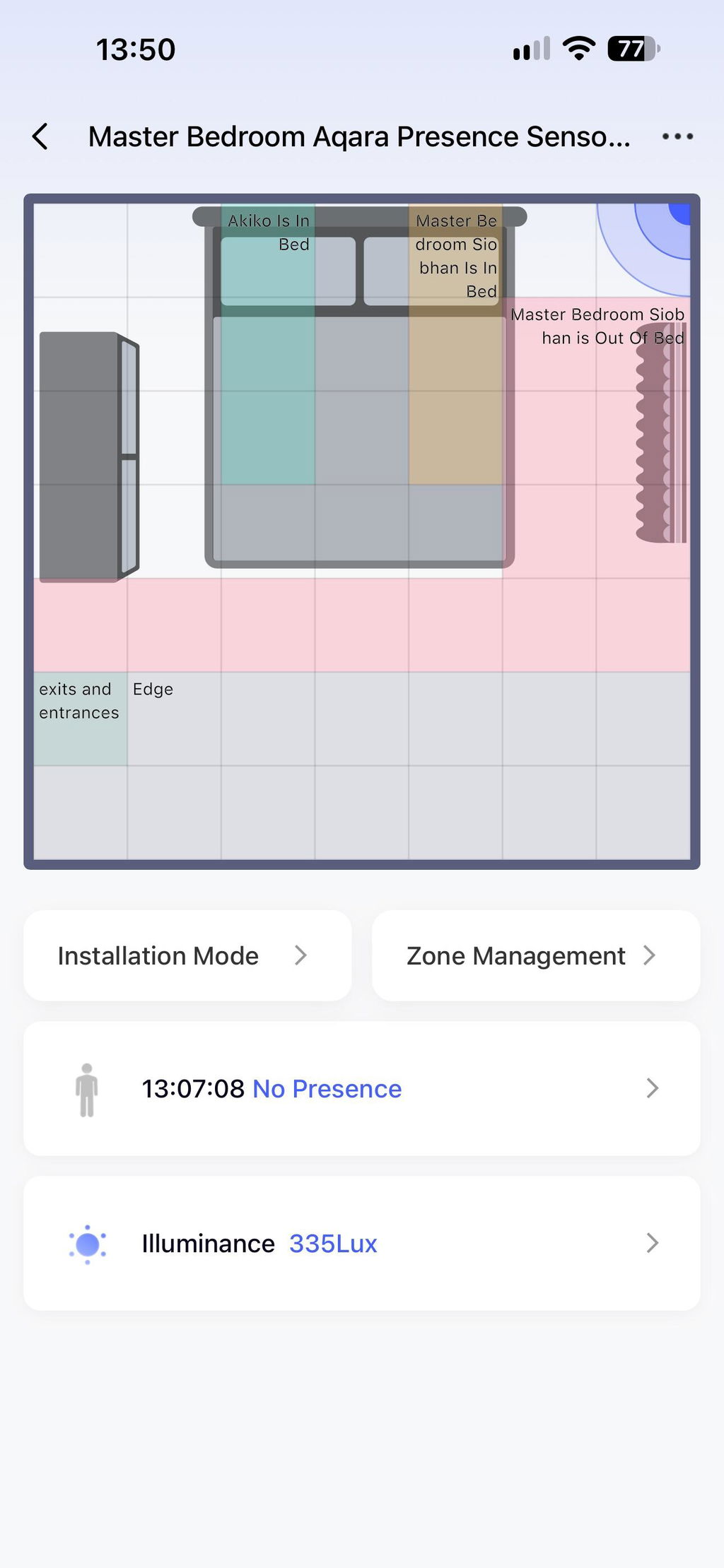
It's important to understand that all mmwave sensors require a lot of fine tuning due to the nature of the technology itself. What makes this product outstanding is it's the first (and only, as far as I know) to include mapping software, which makes the tweaking process exponentially easier than manually calculating distances and signal strengths from raw numeric values. These still require a few hours of tuning (usually over several days) to compensate for environmental variables (reflections/shadows, radio interference, etc.), but doing this without a visual map would probably take weeks if not months to accomplish as effectively.I'm using three of these (so far) with Home Assistant via the Homekit integration to primarily control lighting. Turning lights on is the easy part, it's automating the turning off of lights that's much, much more tricky. The ability to create virtually unlimited zones with these sensors has allowed me to make seamless, natural feeling lighting automations that work so well they're not even consciously noticed -- we just automagically have lighting when/where we need it and not where we don't. 😎
This product does exactly what you'd expect it to do. Setup wasn't as easy as I'd hope for, but once you work through it, it does what it's supposed to. Our kid's room is on the other side of the house, so we use this to tell if they are up and about in the middle of the night, and to alert us on our phones.
Complicated but good. I have the presence sensor in my room it controls my bedroom light. It's great because I have it set up so when it's above a certain light level it will not turn my light on. The problem I ran in to was I did not want the light to come on while sleeping or getting up to go to the bathroom at night. I finally figured out to kill the power to the sensor with a smart plug. When I say alexa light off when going to sleep at night alexa also sends a command to a smart outlet to shut power off to the presence sensor. When my alarm goes off in the morning Alexa also sends a command to power on the sensor and it goes back to normal operation.
This sensor is a game changer. The ability to assign activation zones (up to 30) totally expands my smart home options. The integration with Google home is seamless. After mapping out your room with the furniture (they call them sticker in the Aqara home application) remember to resize then. Each square on the room grid represents a square yard in the real world. When you create your actions zones use different colors for each zone.The newly created zones will appear in your Google home app. Now you can create your automation using the "Automation" section under settings in the Google home app. Finally when you mount the sensor make sure it is 5'9" or 1.8 meters high max..4/26/24 Addendum:I liked this motion sensor so much I purchased a total of 3 for my 2 bedroom apartment with more to be bought later on to cover small spots not reach with my current configuration.
I had to buy another one of these for my main floor after seeing how it worked in my basement.I'm very impressed with the accuracy and ability of this presence sensor. I have each of my main living spaces split up into about 7 zones each with their own automations (lights turning on, etc) using HomeAssistant. It's not perfect with accuracy, but it's very close, and better than I've gotten with PIR sensors and ESPHome mmwave sensors. Those sensors only detect presence, but this Aqara sensor gives a highly accurate (again not perfect, but VERY good) 2-dimensional (x,y) representation of where the "presence" is in the room. Accuracy is highest with only one person in the room, and it maxes out at about 5 people as far as telling where they are. However, even with that, it still does a great job with general presence.For setup, this WILL take a bit of time. No, it's not complicated. But yes, it takes a decent amount of configuration. I love playing with home automation projects, so it wasn't a chore for me, though some people who want things to "just work" may not enjoy the setup. It takes a bit of configuring, because it's extremely versatile.For my setup, I had to install the Aqara app and configure it through there first. I then calibrated the sensor, setup the zones with names, etc. After that was done, I added it to HomeAssistant, which does not see the x/y map but instead a list of binary sensors for each zone I configured and if presence is detected in them or not. It also exposes a binary sensor that reflects if any of the zones show presence or not. Lastly, it provides a light (lux) sensor which seems pretty accurate.I haven't tried the other features light sleep monitoring, etc. My main need is presence detection by zone, and I'm very happy so far!
I had to buy another one of these for my main floor after seeing how it worked in my basement.
I'm very impressed with the accuracy and ability of this presence sensor. I have each of my main living spaces split up into about 7 zones each with their own automations (lights turning on, etc) using HomeAssistant.