
Front Door Security
See who’s there, secure every way in, and let your home respond to every arrival.


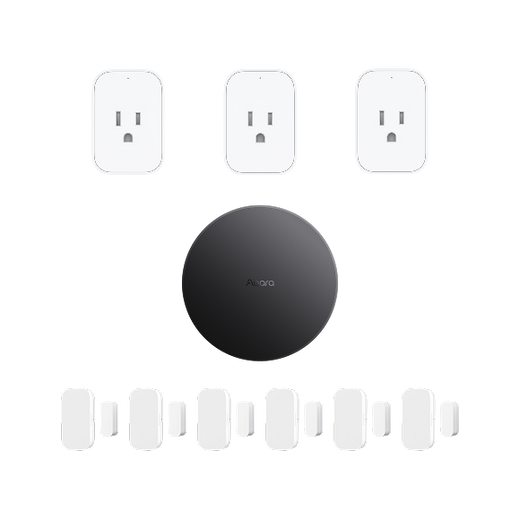
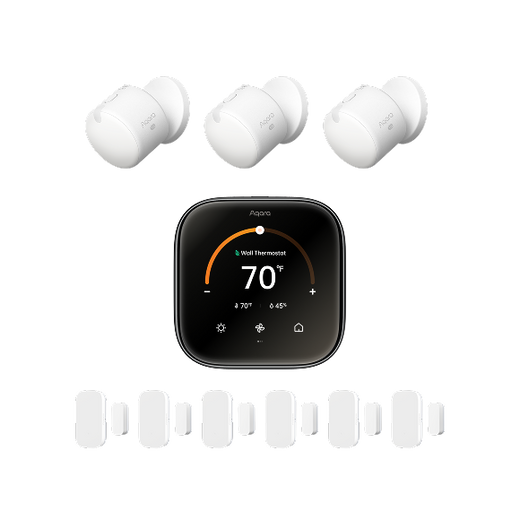
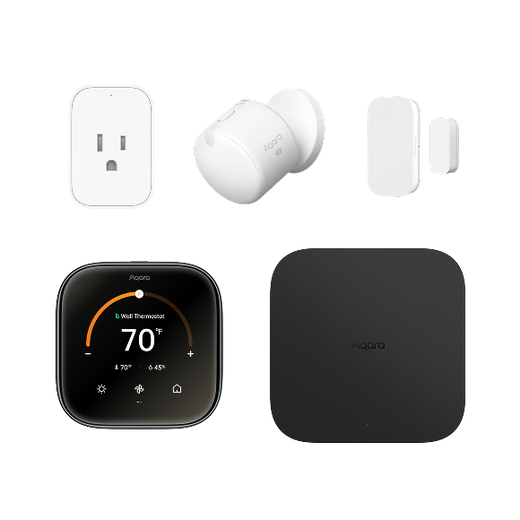

For many seniors, 'aging in place' is the goal, but safety is the challenge. A smart home hub turns this vision into reality by acting as a local brain that connects lights, locks, and sensors into a seamless, automated safety net—all without a complicated learning curve.
Whether it's preventing falls with smart lighting or providing peace of mind through non-invasive monitoring, a suitable smart home hub can help seniors maintain their independence while providing caregivers with the tools they need to stay connected.
 Most people think "smart home" means fancy gadgets for tech enthusiasts. But for seniors, it’s about something much more important: Independence. As we get older, small tasks like reaching for a light switch in the dark or checking if the front door is locked can become risky or stressful. A smart home hub acts like a quiet, 24/7 assistant. It ties everything together—your lights, your locks, and your safety sensors—into one brain.
If you are a caregiver, a hub isn't just a gadget. It is your eyes and ears when you can't be there. It bridges the gap between "I want to live alone" and "I need to stay safe."
Let’s be honest: many seniors hate technology because it feels too complicated. If a device has ten buttons and an annoying app, they won't use it.
That is where a good hub shines. It simplifies the chaos. Instead of your parents needing to learn how to use a smart bulb, a smart plug, and a smart thermostat separately, the hub handles the heavy lifting. You set up the "rules" once, and the house just reacts. It turns the technology invisible. When the house works automatically, it doesn't feel like "tech"—it just feels like home.
Think about the last time you tripped in the dark. Now imagine being 80 years old.
Voice control and automation remove the physical barriers of a traditional home.
These aren't just "cool features." They are tools that prevent falls and reduce the mental load on our loved ones.
Not all hubs are created equal. If you buy a hub that relies 100% on the cloud, your parent is in trouble the moment the Wi-Fi blinks out. Here is what you need to look for to ensure total reliability.
For a senior, a smart home must be as reliable as a light switch. You want a hub that offers Local Execution. This means the "brain" of the house lives inside the little box on the shelf, not in a data center miles away.
If the internet goes down, the local automations—like the emergency alert button or the hallway lights—must still work. Reliability builds trust. If the tech fails once, a senior user might never trust it again. Look for hubs that prioritize "Edge Computing."
 You might see these words on the box and wonder if they are just marketing fluff. They aren't. They are the languages your devices speak.
<< Zigbee vs. Thread vs. Matter: What's The Difference?
Your hub needs to play nice with the "Big Three": Amazon Alexa, Google Home, or Apple HomeKit. Why? Because these are the interfaces seniors find most natural. Being able to say, "Hey Siri, I need help," is much easier than finding a phone and dialing a number during a crisis.
Before you begin, you can refer to this simple table to help you get to know the top picks of smart hubs today!
|
Feature |
Aqara Hub M3 |
Amazon Echo Show 10 |
Apple HomePod (2nd Gen) |
|
Best For |
Reliability & Privacy |
Visual/Video Calls |
Apple Ecosystem Users |
|
Protocol |
Matter, Thread, Zigbee |
Matter, Zigbee |
Matter, Thread |
|
Offline Support |
Excellent (Edge Computing) |
Limited |
Moderate |
|
Key Advantage |
No Monthly Fees |
Rotating Screen |
High-End Audio |
 The Aqara Hub M3 is the heavyweight champion for 2026. The M3 is more than a bridge; it is a powerful Matter Controller and Edge Hub. This means it handles the processing for your entire home locally, ensuring your safety routines never fail, even if your internet does.
Key Selling Points for Seniors:
 Sometimes, a senior needs to see a face. The Echo Show 10 features a screen that actually rotates to follow the user.
 If your family is already "Team iPhone," the HomePod is the logical choice.
Note for the caregiver: HomePod requires an existing Apple ecosystem (like an iPad or Apple TV at home) to act as a full-time hub, but once set up, it offers the most private and seamless experience.
A hub is the brain, but sensors are the nervous system. To truly protect a senior, you need more than just a smart speaker.
 If you buy only one extra device, make it this one. The Aqara Presence Sensor FP2 uses "mmWave Radar" technology. It doesn't just look for "movement"; it looks for "presence."
Why this is a must-have for caregivers:
 Most senior falls happen at night on the way to the bathroom.By pairing an Aqara Motion Sensor P1 with smart bulbs, you can create a "Safety Path." When the sensor detects a foot hitting the floor, the hallway and bathroom lights turn on at a dim, warm amber glow. It’s bright enough to see, but dim enough not to ruin their sleep. Besides, the Motion Sensor P1 has about five years of battery life—meaning you won't have to climb a ladder to change batteries every few months.
Seniors are much more sensitive to heat and cold. An Aqara Temperature and Humidity Sensor can talk to the Hub M3. If the room gets above 80°F (27°C), the hub can automatically turn on the AC or a smart fan. This prevents heatstroke and respiratory issues before they even start.
You can’t just drop a box of gadgets on their table and leave. You need a strategy.
Don't make them learn "computer talk." Use the app to create nicknames for everything.
Instead of "Turn on Smart Plug 1," set it to "Turn on my reading lamp."
Instead of "Activate Routine Night," set it to "Time for bed."
Personalizing voice triggers makes technology feel like a helper, not a hurdle. When the house understands 'I’m going to the kitchen' instead of a rigid command, seniors feel in control, not overwhelmed.
Don't automate the whole house on day one. Start with one thing—maybe the front door lock or a single light. Once they see how easy it is to say "Lock the door" from their favorite chair, they will be asking you for more.
This is for you, the caregiver. Use the Aqara Home app to set up notifications.
"No movement detected in the kitchen by 10:00 AM."
"Front door left open for more than 5 minutes."
These alerts give you the "okay" to call and check-in without feeling like you are hovering.
A: With the Aqara Hub M3, no. Most of the core features and local automations are subscription-free. This is a huge advantage over many competing systems that require monthly subscriptions for core features.
A: Not unless you have a battery backup (UPS). However, the Hub M3 is great because it recovers instantly when power returns and doesn't need to "re-sync" with a cloud server to start working again.
A: Aqara Presence Sensor FP2 requires a bit of "map-making" in the app, but it’s a one-time setup. Once you define the "Fall Zone" and "Couch Zone," it runs itself.
Smart home technology isn't about replacing human care. It’s about giving seniors the dignity of living in their own homes for as long as possible.
By choosing a high-quality, local-first system like the Aqara Hub M3 and adding life-saving tools like the FP2 Presence Sensor, you are building a safety net that never sleeps. You get peace of mind, and they get to keep their keys. It’s a win for everyone.


